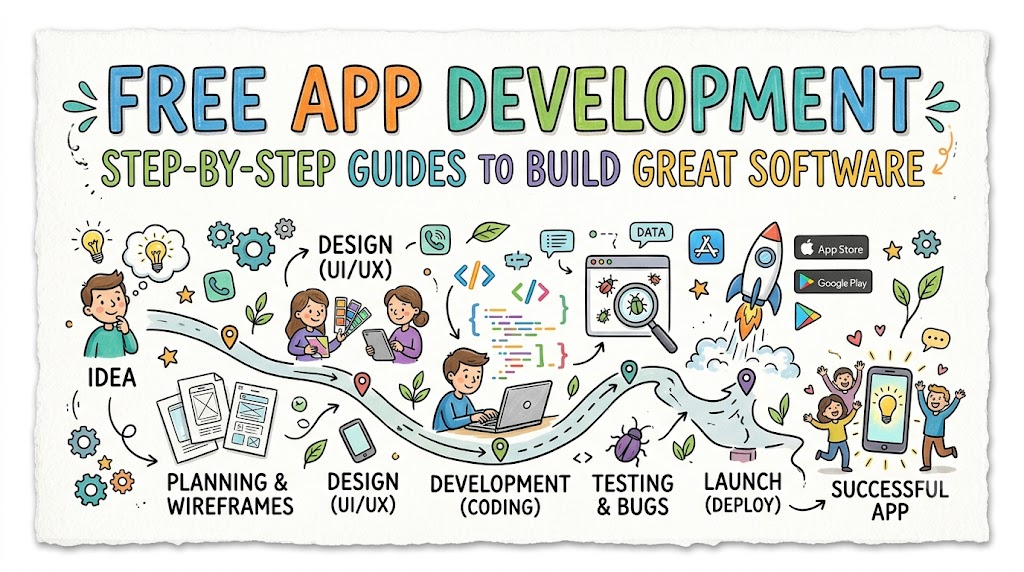
App development means creating programs that run on phones and computers. Today, people use apps for games, learning, and daily work. Making your own app is an exciting and creative journey. Anyone can learn how to build apps with the right help.
You do not need to spend money to start learning today. You can explore free online books on Freeebooks to build your coding skills fast. These step-by-step guides explain tech tools in very simple steps. They help you turn a fun idea into a real, working app.
What Is An App?
An app is a software program on your phone, tablet, or computer. Software is just a set of instructions that tells hardware what to do.
Apps help us solve problems or have fun every day. For example, a map app helps you find your way home. A music app plays your favorite songs with one tap.
Why Learn App Development?
Building apps helps you bring your creative thoughts to life. You learn how to solve tricky puzzles step by step.
Also, app builders help lots of people across the world. When you build a helpful tool, thousands can use it daily. It is a fantastic skill that opens many exciting career doors.
How To Read Free Guides
You can find hundreds of free digital manuals on the web. These guides break down big projects into tiny, bite-sized tasks.
Take your time as you read through each new chapter. Practice writing the sample code on your own computer screen. Trying things out for yourself helps you remember lessons best.
Key Operational Concepts You Must Know
Understanding The Front End
The front end is the visual part of the app that you see. It includes colorful buttons, text blocks, image boxes, and sliders.
When you tap a green button, the front end catches your touch. Designers make sure these visual parts look clean and feel friendly. Good front-end work makes the app simple and fun to explore.
Understanding The Back End
The back end works quietly behind the scenes like an engine. It stores passwords, saves scores, and organizes information in databases.
A database is like a giant digital filing cabinet for your data. When you log into an app, the back end checks your name. It then sends your personal files right back to your screen.
[User Taps Button] -> [Front End Catches Tap] -> [Back End Saves Data]
Choosing Native Or Cross-Platform
Native apps are built specifically for one type of phone system. For instance, some apps only run on Apple devices.
Other apps are cross-platform, meaning they run on both Apple and Android phones. Cross-platform tools let you write your code just one time. Then, your app can run everywhere without extra work.
Using App Testing Tools
Testing means checking your app for annoying errors or sudden crashes. Coders call these little computer mistakes “bugs.”
You should test your app on different phone screens and sizes. Testing helps you catch bugs before real users ever see them. Always fix broken buttons before you share your app with friends.
Platform Implementation vs. Culture — What’s the Real Difference?
| Operational Area | Platform Implementation Focus | Team Culture Focus |
| Main Goal | Picking software tools and writing working code. | Listening to user feedback and fixing pain points. |
| Daily Tasks | Fixing software bugs and linking databases. | Talking with team members and testing new ideas. |
| Key Measure | Fast screen loading times and zero system crashes. | Happy users who enjoy opening the app every day. |
| Work Style | Working closely with computers, code, and servers. | Sharing helpful ideas and learning from mistakes together. |
The Value Of Software Tools
Picking the right software tools gives your app project a strong start. Good code editors help you write commands without making typos.
Strong platforms also keep user passwords and private data safe. But having the best tools will not make an app popular on its own.
Building A Helpful Culture
A great team culture focuses on the real humans who use the app. You must ask what everyday problems your users want to fix.
Great teams talk to their users and listen carefully to complaints. They stay humble and welcome suggestions to make things better. This friendly attitude turns a plain app into something people truly love.
Real-World Use Cases of Modern Operations
Easy Habit Trackers
Habit tracker apps help people drink water, read books, or exercise daily. The app sends a friendly alarm when it is time to practice.
Users tap a big checkbox every time they finish a good habit. The app then shows bright stars and colorful badges for streaks. This visual reward keeps people excited to meet their personal goals.
- Students: Track homework tasks, study hours, and book reading goals.
- Athletes: Log daily running times, water cups, and workout reps.
- Teachers: Send reminder alerts to help students remember big project dates.
Smart Food Delivery
Food apps connect hungry eaters directly with local town restaurants. The app displays clear menus with bright photos of tasty dishes.
After ordering, customers watch a little car icon move across a live map. This live update shows exactly when the hot meal will arrive. Behind the scenes, servers process the order and manage the payment safely.
[Customer Orders Pizza] -> [Kitchen Bakes Food] -> [Driver Delivers Box]
Fun Language Learning
Language apps turn hard grammar lessons into fun, colorful mini-games. Users match words with cute cartoons and earn points for correct answers.
If you make a small mistake, the app offers helpful hints. Short two-minute quizzes fit easily into busy daily routines. As a result, millions of people learn new languages right from their pockets.
Common Mistakes in Operations Engineering
Adding Too Many Features
Many beginners try to pack twenty different tools into one app. This bad habit makes the app feel messy and hard to navigate.
Start by making your app do one single job really well. Cut out all extra buttons that do not serve that primary goal. Simple apps are always much easier to build, test, and enjoy.
Ignoring Slow Loading Screens
Nobody likes staring at a frozen screen while waiting for an app to open. If your app takes five seconds to load, users will close it.
Large images and messy code often cause terrible slowdowns. Clean up your code and shrink image files to keep speeds blazing fast. Fast apps keep users smiling and coming back for more.
Important Building Tip: Keep your app lightweight and quick. A simple app that opens instantly is always better than a fancy app that runs slowly.
Forgetting Clear Buttons
Sometimes builders forget to make buttons big enough for human fingers. Tiny buttons cause people to tap the wrong link by accident.
Leave plenty of space between clickable icons and words. Use bright colors so users know exactly where to tap next. Clear buttons make your app friendly for both kids and adults.
How to Become an Operations Expert — Career Roadmap
Step One: Pick A Friendly Language
Start your learning path by picking an easy coding language. Python and JavaScript are wonderful starter choices for new programmers.
These languages use simple words that look a lot like regular English. They help you understand how computer logic works without stress. Practice writing short scripts that print fun messages on your screen.
- Beginner Coder: Writes basic scripts, learns simple logic, and fixes tiny code typos.
- Junior App Maker: Builds simple two-page apps and connects basic local databases.
- Lead Software Architect: Plans whole systems, manages cloud servers, and leads developer teams.
Step Two: Sketch Your App Ideas
Before writing any code, grab a clean sheet of paper and a pencil. Draw every single screen that you want your app to have.
Show where the title goes, where pictures sit, and where buttons belong. Drawing your ideas first saves you tons of wasted time later. It gives you a clear map to follow while you write code.
+--------------------------+
|  [Logo]       My App     |
|                          |
|  Welcome to your daily   |
|  learning dashboard!     |
|                          |
|  [ Start Lesson Now ]    |
+--------------------------+
Step Three: Build And Share Your First Project
Now, pick a very simple project, such as a basic calculator or a quiz game. Write the code step by step using your paper sketches as a guide.
When your app works, show it to your family and best friends. Watch them tap the buttons and listen carefully to their thoughts. Use their helpful ideas to polish your project and make it shine.
FAQ Section
- Can I build an app if I have never written code before?Yes, you can definitely learn to build apps from absolute scratch. Free online guides break down big coding ideas into tiny, simple steps that anyone can follow.
- How much money does it cost to build my first mobile app?You can build your first app completely for free. Many powerful code editors and learning books do not cost any money at all.
- What computer do I need to start practicing app development?You only need a basic laptop or desktop computer with internet access. You do not need an expensive gaming computer to write simple code.
- What is the difference between a bug and a feature?A feature is something helpful that the app is supposed to do. A bug is a mistake in the code that makes something break or work wrong.
- How long does it take to create a simple phone app?You can build a very basic one-screen app in just a few days of study. Bigger apps with lots of tools will take a few weeks or months to finish.
Final Summary
Learning how to build apps is a super fun and rewarding adventure. Free step-by-step guides provide all the knowledge you need to begin your journey. Always remember to start small, keep your screens tidy, and test your work often.
Focus on creating simple apps that solve real problems for your users. Talk with other builders and never fear making little mistakes along the way. With steady daily practice, you will soon create amazing apps that help people everywhere.
